Stowkeep Download
Home inventory for the whole household

Knows where everything is

A flat, a garage, a summer house — every place breaks down into shelves and boxes. Stowkeep remembers where each thing lies, when it expires and what to buy again.

Free to start. Unlimited — on one subscription for the whole home.

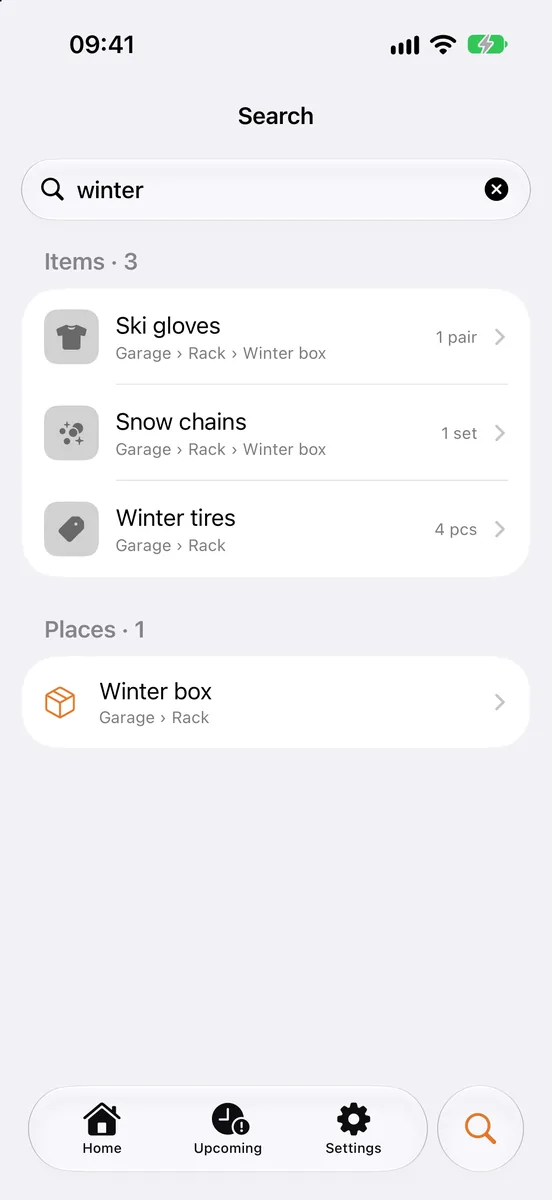
Stowkeep search screen
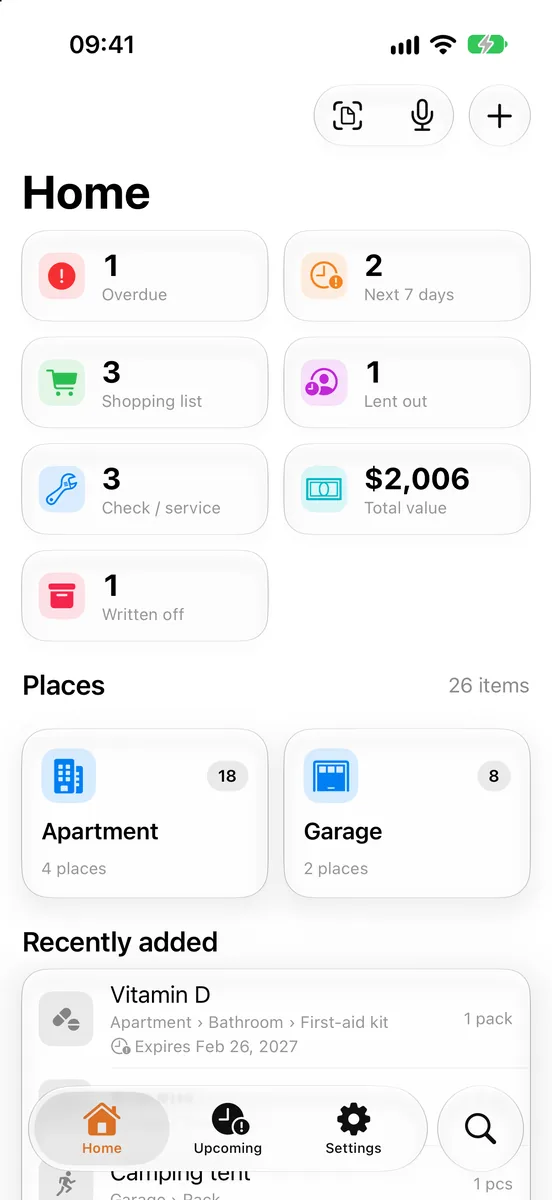
Stowkeep home screen
Where are the winter tires?
Garage › Rack

The answer to “where is it” always carries the full path

Where is the drill’s warranty?
Garage › Rack › Blue box
Where are the AA batteries?
Apartment › Hallway › Dresser
Where are the ski gloves?
Garage › Rack › Winter box
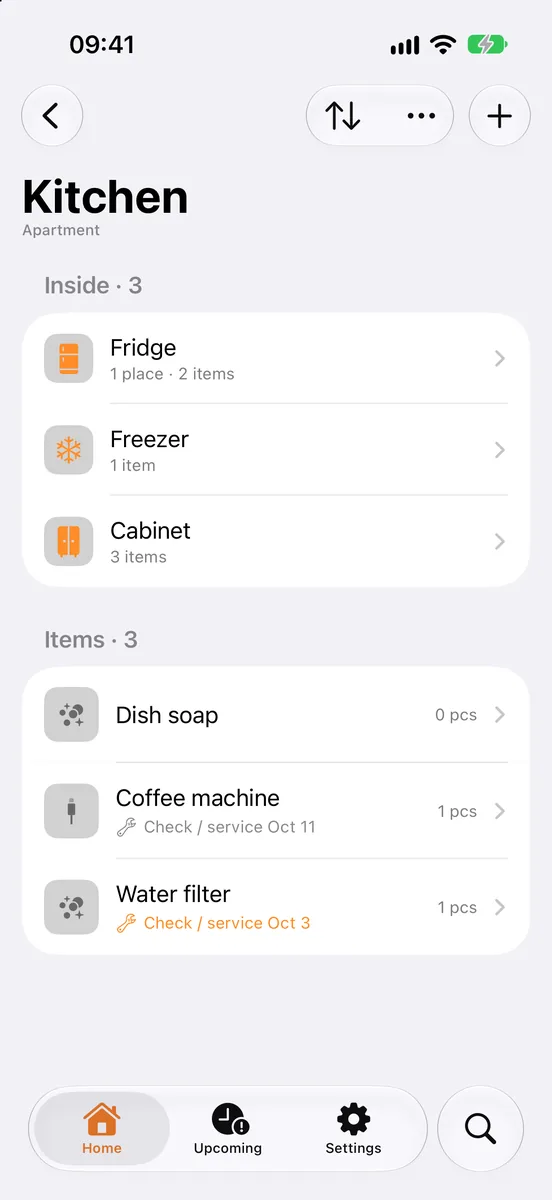
The place “Kitchen” with nested places and items
Tree of places

Your home breaks down into places, as deep as it goes

As many levels as you like. Every place shows its “places / items” count, places can be tagged with a colour and moved whole.

Apartment
└Kitchen
└Fridge
└Door shelf
└Box

Presets for kinds of place — suggested by what the parent is:

WardrobeRackWorkbenchFirst-aid kitSafeSuitcaseDrawerBoxJar
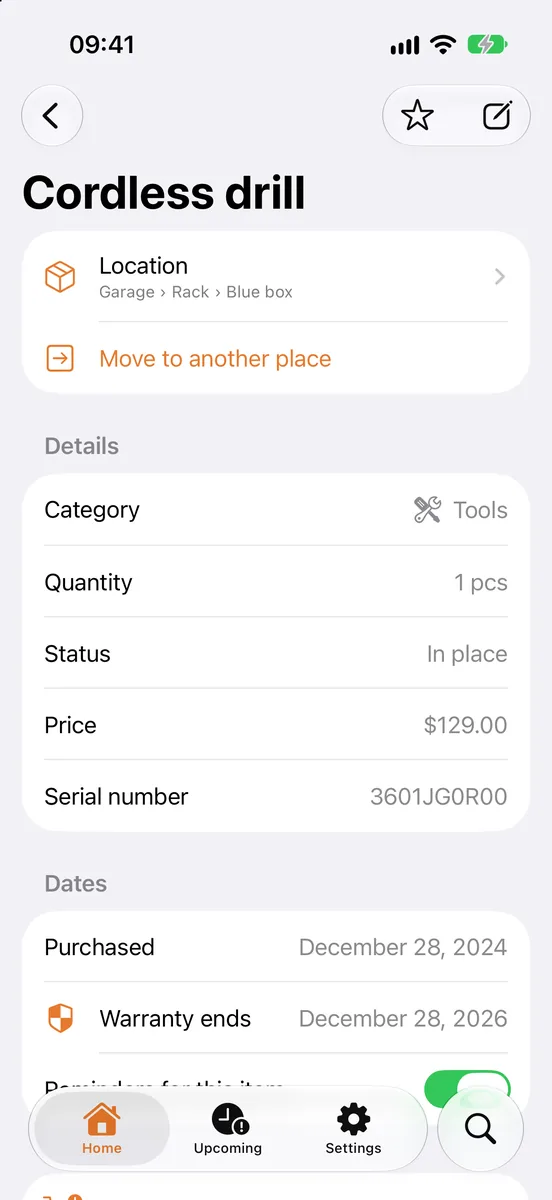
Item card

Every thing has a card of its own

Fill in as much as you need. Moves are written to a history — you can see where a thing used to live.

What it isName, category, quantity with a unit, note, tags, up to three photos
PassportPrice, barcode, serial number, a link to the shop
DatesPurchased, expires, warranty until, check / service, return by
StatusIn place or lent out — and to whom. The “need to buy” flag sends it to the shopping list
The item card for a cordless drill
Three ways to add

Adding a thing is faster than hunting for it later

By handA name and a place — the rest of the fields are optional and can be filled in later.
With the cameraA photo of a receipt, a document or just a shelf is read by AI. Back come the items with prices and dates — you only put them in their places.
By voice“Put the winter tires on the rack in the garage.” Recognition runs on the device; the audio goes nowhere.
QR labels for boxesPrint a sticker, put it on the box. Scan it — and you are inside that place.
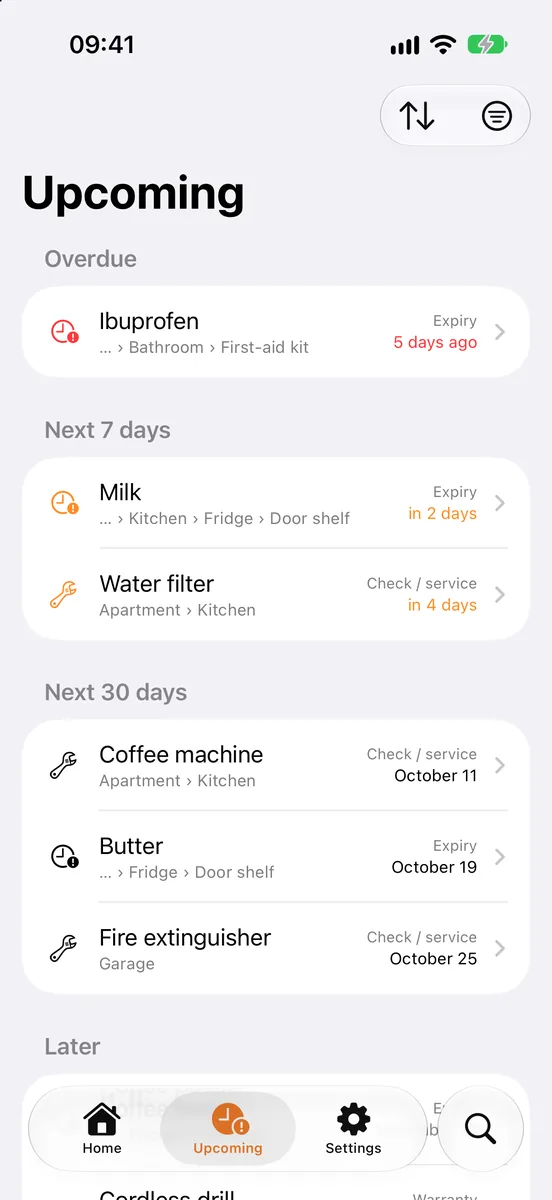
The “Upcoming” feed of dates
Dates and reminders

Dates remind you of themselves

Every date in one feed: overdue, this week, this month, later.
A notification the chosen number of days before, at the hour you pick. It works locally, with no server.
Move the date and the reminder moves with it.
Dates
Ibuprofen5 days ago
Milkin 2 days
To buy · 3
Coffee beans
AA batteries
Dish soap

Widgets on iPhone. CSV export — with a choice of columns and places.

Shared home

One home for the whole family

Create an invite code — the other person joins and sees the same shelves. Everything works offline and syncs when the network comes back. Photos live in the cloud together with the home.

The subscription is per home. One person pays, everyone in it gets no limits.

Invite code for the home “Apartment”
7KQ4M2
Share the code
AHome owner
BMember

Pricing

One subscription for the whole home, not for each member.

Free
0
  • 30 places and 100 items — enough for a flat with a storage room
  • Receipt and shelf scanning, voice input
  • Shared home, QR labels, CSV export — with no counters
Start for free
Unlimited for the homefor every member
$0.99 / mo
  • Places and items without a limit — for everyone in the home
Subscribe

Questions

Does it work without the internet?Yes. Data is saved on the device first and syncs with the home once there is a network.
What happens to a photo of a receipt?AI reads it and pulls out the items, prices and dates. You check the result and put things in their places yourself.
And the voice input?It is recognised on the phone itself. No audio is sent anywhere.
If one person pays, do the others pay too?No. The subscription is taken out on the home, and everyone in it gets no limits.
Can I take my data with me?Yes, as a CSV export. You choose which columns and which places to export.

Let Stowkeep remember for you